Anúncios
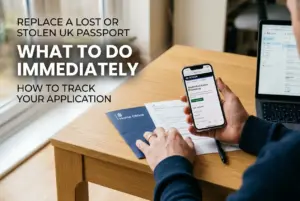
Need to sort out your UK passport renewal? The quickest and cheapest way is to apply online directly through the GOV.UK website.
This guide explains everything you need: documents, fees, and current processing times. We’ll walk you through each step to avoid common mistakes.
Getting it right the first time saves you stress, money, and potential travel delays. Let’s get started.
Why You Must Renew Your Passport Before It Expires
Many people think a passport is valid until its expiry date, but this is a risky mistake. Most countries require at least six months of validity to let you in.
If your passport has less than six months left, you could be turned away at the airport. This can ruin holiday plans and lead to losing money on flights and hotels.
Renewing your passport is not just about updating a document. It’s about ensuring your freedom to travel without any last-minute emergencies or unexpected costs.
The Home Office advises you not to book any travel until you have your new passport in hand, as processing times can vary.
How to Renew: Online vs. Paper Application
There are two main ways to renew your UK passport: online or using a paper form. The online service is the recommended and most popular method.
Applying online is faster, simpler, and cheaper. You complete the form on the GOV.UK website and upload a digital photo from your phone or a photo booth.
A standard online application costs £88.50 for an adult and £57.50 for a child. This is the most cost-effective option.
The paper application method is more expensive. It costs £100.00 for an adult and £69.00 for a child. You’ll need to get a form from a Post Office.
Heads up: The government strongly encourages online applications as they are processed more quickly and have a lower chance of errors.
Documents and Information You Will Need
Before you start your online renewal, it’s smart to gather all the necessary information. This will make the process much smoother.
Here’s a clear list of what you’ll need to have ready.
- Your current passport: You’ll need the passport number and will have to post it to the Passport Office after applying.
- A digital photo: A recent photo that meets the strict government rules. You can take one at home or use a photo booth code.
- A credit or debit card: For paying the application fee online.
- An email address and phone number: To receive updates on your application’s progress.
In some cases, you may be asked for extra documents. This can happen if your name has changed or your appearance has altered significantly.
Step-by-Step Guide to the Online Renewal Process
The online application is designed to be straightforward. Follow these steps carefully to complete your renewal without any issues.
- Visit the official GOV.UK website: Only use the official government portal. Search for “Renew UK passport online” to find the correct page.
- Create an account or sign in: You will need an account to start your application and track its progress.
- Fill in the application form: Enter your personal details exactly as they appear on your current passport.
- Upload your digital photo: You can upload a photo from your device or use a code from a photo booth. The system will check if it’s suitable.
- Pay the fee: Use a debit or credit card to pay the £88.50 fee for a standard adult renewal.
- Post your old passport: After submitting, you’ll receive instructions on where to send your old passport. Use a tracked service.
Do not send any other original documents unless specifically asked to do so by His Majesty’s Passport Office (HMPO).
Understanding Passport Photo Rules
Getting the photo right is one of the most critical parts of your application. A rejected photo is the most common reason for delays.
Whether you take the photo yourself or go to a shop, it must meet specific standards. The online system helps check your photo, but it’s good to know the rules.
- Expression: Keep a neutral expression with your mouth closed. No smiling.
- Background: Use a plain, light-coloured background (like cream or light grey) with no patterns or shadows.
- Head coverings: Only allowed for religious or medical reasons, and they must not cover your face.
- Eyes: Must be open and clearly visible. Do not wear sunglasses or tinted glasses. Regular glasses are fine if there’s no glare.
- Shadows: Ensure there are no shadows on your face or in the background.
Many photo booths now offer a digital code. You just enter this code in your online application, which is often easier than uploading a file.
Current Processing Times and Fast-Track Options
Standard passport renewals have a guideline processing time. However, this can change depending on demand, especially before summer holidays.
The official advice from HMPO is to allow up to 10 weeks for your application to be processed. Often it is much quicker, but you should not rely on this.
If you need your passport urgently, there are faster services available, but they cost more and require an appointment.
| Service Type | Processing Time | Cost |
|---|---|---|
| Standard Online | Up to 10 weeks | £88.50 |
| Online 1 week Fast Track | 1 week after appointment | £166.50 |
| Premium Service | Same day as appointment | £207.50 |
Fast Track and Premium services require an in-person appointment at a passport office. Appointments get booked up very quickly, so you need to act fast.
What If Your Passport is Lost, Stolen, or Damaged?
If you can’t find your passport or it’s damaged, you cannot use the standard renewal process. You must report it as lost or stolen first.
You must cancel a lost or stolen passport immediately on the GOV.UK website. This is a crucial security step to prevent identity fraud.
Once you have cancelled it, you can then apply for a replacement. The process is similar to a renewal but has different questions.
Important: A damaged passport is also considered invalid. Damage includes tears, water damage, or any changes to the personal details page.
Applying for a replacement for a lost, stolen or damaged passport costs the same as a standard renewal but may take slightly longer.
Common Mistakes to Avoid During Renewal
A simple mistake can lead to significant delays. Knowing the common pitfalls can help you get your application right on the first attempt.
Here are the top errors people make when renewing their passport:
- Bad Photos: Submitting a photo that doesn’t meet the rules is the number one cause of rejection. Use the online tool to check it.
- Incorrect Information: Double-check all names, dates, and numbers before submitting the form. Typos can cause big problems.
- Forgetting to Send Your Old Passport: Your application won’t be processed until HMPO receives your old passport.
- Using Unofficial Websites: Some sites charge extra fees to “help” with your application. Always use the official GOV.UK website.
Take your time filling out the form. Rushing often leads to preventable errors that will only slow down the whole process.
Next Steps and Official Resources
Now you have all the information needed to renew your passport confidently. The key is to start early and use the official online service.
For any queries, the Passport Adviceline is available, but the GOV.UK website should be your first port of call for information.
Don’t wait until the last minute. Start your renewal application on the GOV.UK website today to ensure you’re ready for your next trip.